Apr 20, 2026
 10 min read
.png)
This article opens our Dev insight series on Wialon Platform — a powerful solution builder designed for projects with straightforward requirements and fleets at the beginning of their digitalization journey. It gives service providers the tools to create, brand, and launch their own applications with full control and minimal development effort.
In these articles, members of the Product team behind Wialon Platform take a closer look at features they’ve worked on directly.
Today, Product Manager Viktar Loban takes a deep dive into the Forms functionality, outlining its practical benefits for fleet operators and the business value it creates for service providers.
Viktar Loban at the Wialon Platform presentation at Telematics & Connected Mobility conference in Vilnius, Lithuania
Wialon Platform: What it is and why you should be excited about it
Feel free to skip this segment if you’re already familiar with Wialon Platform!
Wialon Platform is our newest addition to the Wialon family of products — a powerful, intuitive and straightforward solution builder, designed to give service providers full business control and a powerful foundation for true product ownership.
Think of it as a versatile toolset for creating tailored solutions for fleet digitalization. With Wialon Platform, service providers can design, brand, and launch applications under their own brand without the costs of custom development. It can serve as a perfect starting point for fleets just beginning their fleet digitalization journey, as well as a more advanced option that delivers far more than just a dot on the map.
Wialon Platform includes three seamlessly integrated interfaces, each designed for a specific role:
-
Studio is the main control point for service providers, allowing them to tailor the solution to needs.
-
FleetSpace helps fleet owners manage core operations in a simple and effective way.
-
Wialon Driver is a mobile app for drivers, supporting daily tasks such as inspections, assignments, and communication with the office.
If you want to know more about Wialon Platform, check out our introduction article — or explore how you can launch your fleet management solution in just 15 minutes.
In fleet management, forms are commonly used to standardize routine processes such as vehicle inspections, safety checks, and compliance procedures. They help ensure that drivers and operators follow all the required steps and maintain consistent records across the fleet. Forms are often tied to specific moments, such as before or after a trip, and focus on verifying that everything is in order.
In many fleet management solutions, forms are designed with these same assumptions in mind. They serve their purpose, but often feel rigid — limited to fixed formats and centered more on simply recording information than directly impacting operational workflows.
Wialon Platform takes a different approach. Here, we created a flexible workflow builder connected to telematics data — think more of Google Forms than traditional vehicle inspection reports. Any structured process that needs to be verified, documented, and tracked — and linked to the right vehicle or driver at the right time — can be turned into a form.
__SLIDER_CHK001__
Flexibility and simplicity of setup are key strengths of Wialon Platform, and the Forms functionality clearly reflects that. You decide what questions to include, and the platform handles assignment, collection, reporting, and automation — all without complex setup or time-consuming configuration.
Here are just a few of the potential applications of the Forms feature:
-
Pre-trip & handover inspections
-
Cargo loading & delivery confirmation
-
Incident reporting
-
Driver & staff onboarding
-
Maintenance sign-off
-
Any other process requiring standardization
If fleets you’re working with still rely on paper, messaging apps, or memory to manage processes, this tool will help bring everything into one place.
To see the full value this feature brings to you as a service provider, let’s explore first how it fits into the daily work of your clients’ employees.
A day in the life: How forms work in the real world
Meet Mike, a delivery driver at a mid-sized logistics company who runs routes five days a week. His mornings may seem routinely predictable — but the small everyday details have a much bigger impact than most people expect.
7:00 AM — Pre-trip inspection at the dispatch center
Before heading out on his first trip, Mike receives a pre-trip inspection form notification in the Wialon Driver app. He goes through the items — brakes, lights, tire condition, fluid levels, mirrors — confirming each one and attaching photos where needed.
It only takes a few minutes — but for Mike’s company, keeping this record is essential for insurance. Without a recorded, time-stamped inspection, any incident during the day becomes harder (and more expensive) to justify. A single missed check can lead to penalties or even invalidate a claim.
Mike submits the form. The vehicle status in Wialon updates from “not submitted” to “submitted,” and the fleet manager sees it instantly. If Mike had skipped it, the manager would have been notified automatically.
10:30 AM — Arrival at the warehouse
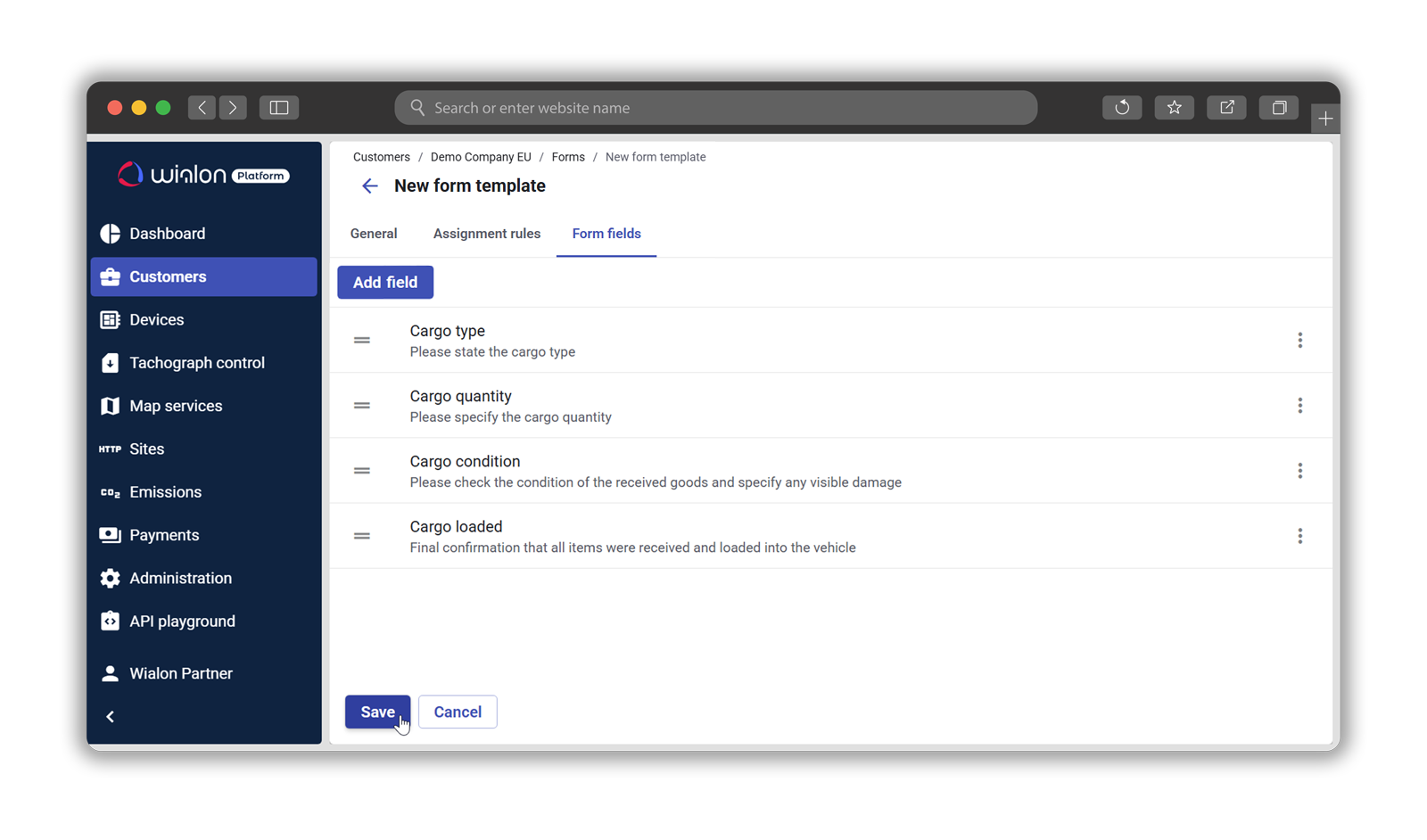
Mike pulls into the loading zone. The system detects the preconfigured “Warehouse” geofence and automatically triggers a loading confirmation form: cargo type, quantity, condition on receipt, and any visible damage. One of the boxes he receives is slightly scuffed, so Mike takes a photo before it goes onto the truck.
This moment matters more than it might seem. Disputes over cargo damage are a common source of friction between logistics operators and their clients. Without proper documentation at the point of loading, the carrier is often left at a disadvantage. Mike’s photo — timestamped and linked to his vehicle and route — becomes the evidence that can protect his company if a claim is made later.
2:15 PM — Delivery at the client site
At the destination, the process repeats. When Mike arrives, the geofence triggers an unloading form. Cargo condition is confirmed, quantities are checked, and the delivery is signed off. The client receives a clear handover record, while Mike’s company gets reliable proof of delivery — without relying on paper forms or Mike’s memory.
3:30 PM — An incident on the way back
As Mike returns to the dispatch center after a completed delivery, another vehicle slightly clips his truck at a junction. The damage is minor — but situations like this can escalate quickly if not handled properly.
Mike opens the Wialon Driver app and submits an incident form on the spot: photos of both vehicles, a description of the damage, location, time, and third-party details. The report is timestamped, geotagged, and instantly visible to the fleet manager.
Without this, the company would have to rely on Mike’s memory. With an incident form filled, they have a clear, immediate record that can be shared with insurers, legal teams, or regulators within minutes. In liability disputes, this can make the difference between a covered claim and an out-of-pocket expense — or between a minor issue and a formal complaint.
6:00 PM — End of shift and vehicle handover
Mike’s day comes to an end, and his colleague Dave takes over the same vehicle for the evening run. Before handing over the keys, Mike completes a vehicle handover form: current condition, any issues noticed during the day, fuel level, and mileage.
Dave follows with a quick acceptance check on his side before taking responsibility for the vehicle.
This small step helps solve a common challenge in shared fleet operations: uncertainty about who is responsible for damage discovered later. With a documented handover, the timeline is clear, and the vehicle’s condition is recorded at each transition. Any disputes between drivers or with managers become much easier to resolve.
Why it is essential — for everyone involved
Over the course of the day, Mike completed 5 forms. Each took only a few minutes. Together, they created something GPS tracking alone cannot provide: a clear, verified record of what happened, when and where it happened, and who was responsible.
For Mike, this record adds a layer of personal protection. With everything documented, he has clear evidence of what he did and when, helping him avoid disputes or incorrect claims related to his work.
For the fleet owner, this data has direct financial value. It supports insurance claims, helps meet regulatory requirements, protects against false liability, and gives the fleet owner real-time visibility into how operations are carried out — not just where vehicles are located.
For our partners offering Wialon Platform, perfect visibility of Mike’s daily routine is the clear example of tangible benefits you can bring to fleet owners.
What else is possible
This is only one scenario — the possibilities are not limited to what’s described above. Wialon Platform is highly flexible, allowing you to easily adapt to the way fleets run their operations. Here are a couple of additional use cases:
Driver and employee onboarding. A structured form used to guide new drivers through vehicles, routes, or company procedures. It provides confirmation that each step has been completed, supported by a timestamped record.
Maintenance task sign-off. A form that verifies whether scheduled maintenance or repairs have been completed. It ensures that tasks don’t just get assigned, but are properly followed through.
In practice, the range of applications can be even broader. One can even make a form for watering that one plant in the office everyone keeps forgetting about… Jokes aside, Wialon Platform allows users to structure their workflows in the way they need, without being limited to just standard vehicle inspections.
How it works – and how it can be even more useful
The core principle is as simple as it can be:
-
Drivers complete assigned forms in the Wialon Driver mobile app. Each item can include a rating, a comment, and photo attachments taken directly from the device.
-
Fleet managers see results in real time and can access the full submission history in Wialon.
While the Forms feature is already valuable on its own, its impact increases when combined with other Wialon Platform capabilities.
Using the Automations feature together with Labels, users can create logic that turns a submitted — or missed — form into a trigger for further action. The walkaround scenario is a good example:
The same approach applies to other workflows. A driver leaving a loading point without confirming cargo or a maintenance task marked as complete without a sign-off form — the logic remains the same, only the forms content changes.
Beyond alerts, failed forms items can automatically create maintenance tasks. This means that moving from “issue identified” to “action taken” does not depend on manual follow-up.
Forms address exactly that — the scenarios and applications may differ, but the ultimate goal is the same: capture actions, timing, and responsibility in a clear, reliable way.
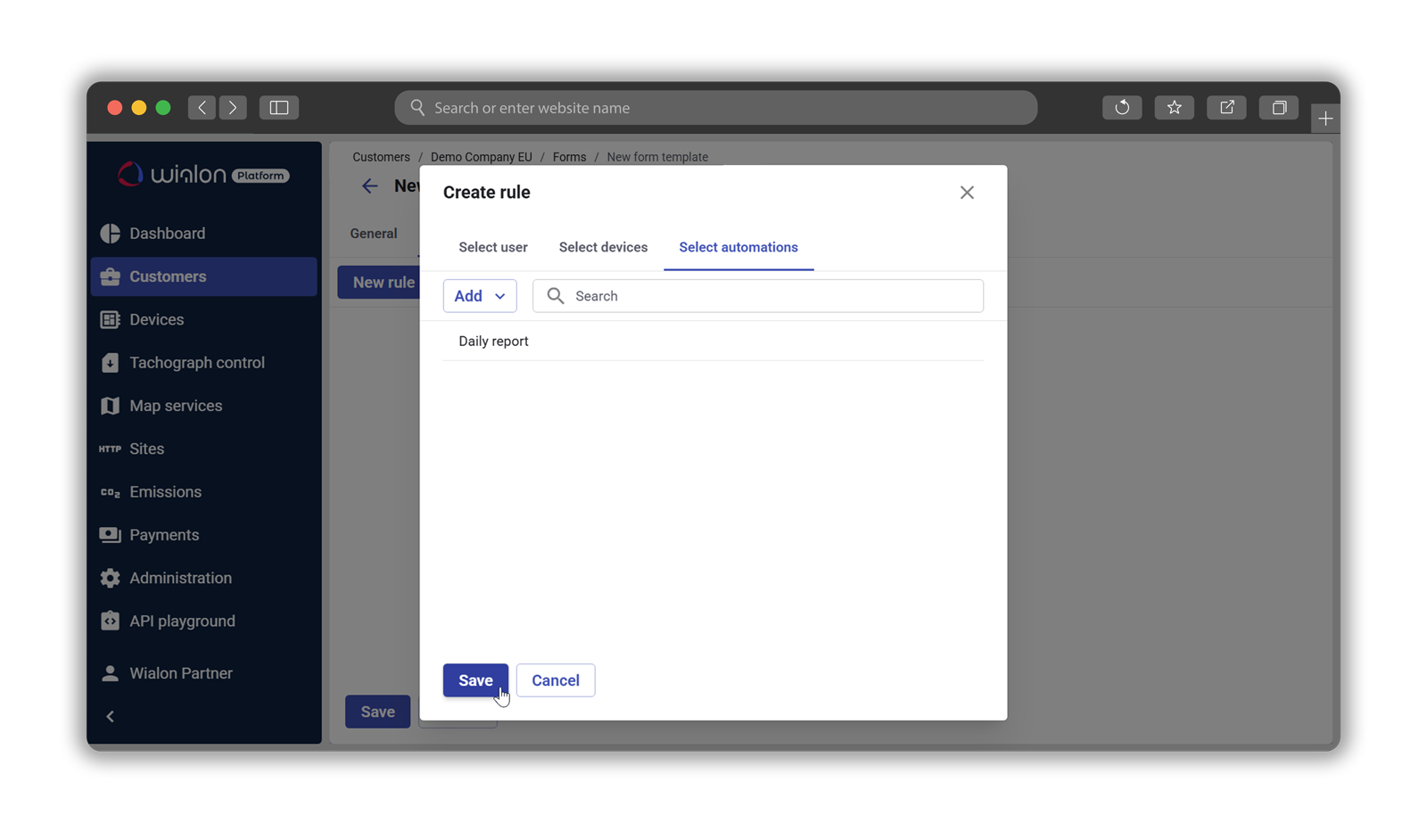
And as a service provider, you control the full setup: from creating templates and managing access to defining assignment logic and shaping how results are presented in the customer’s workspace.
Getting started
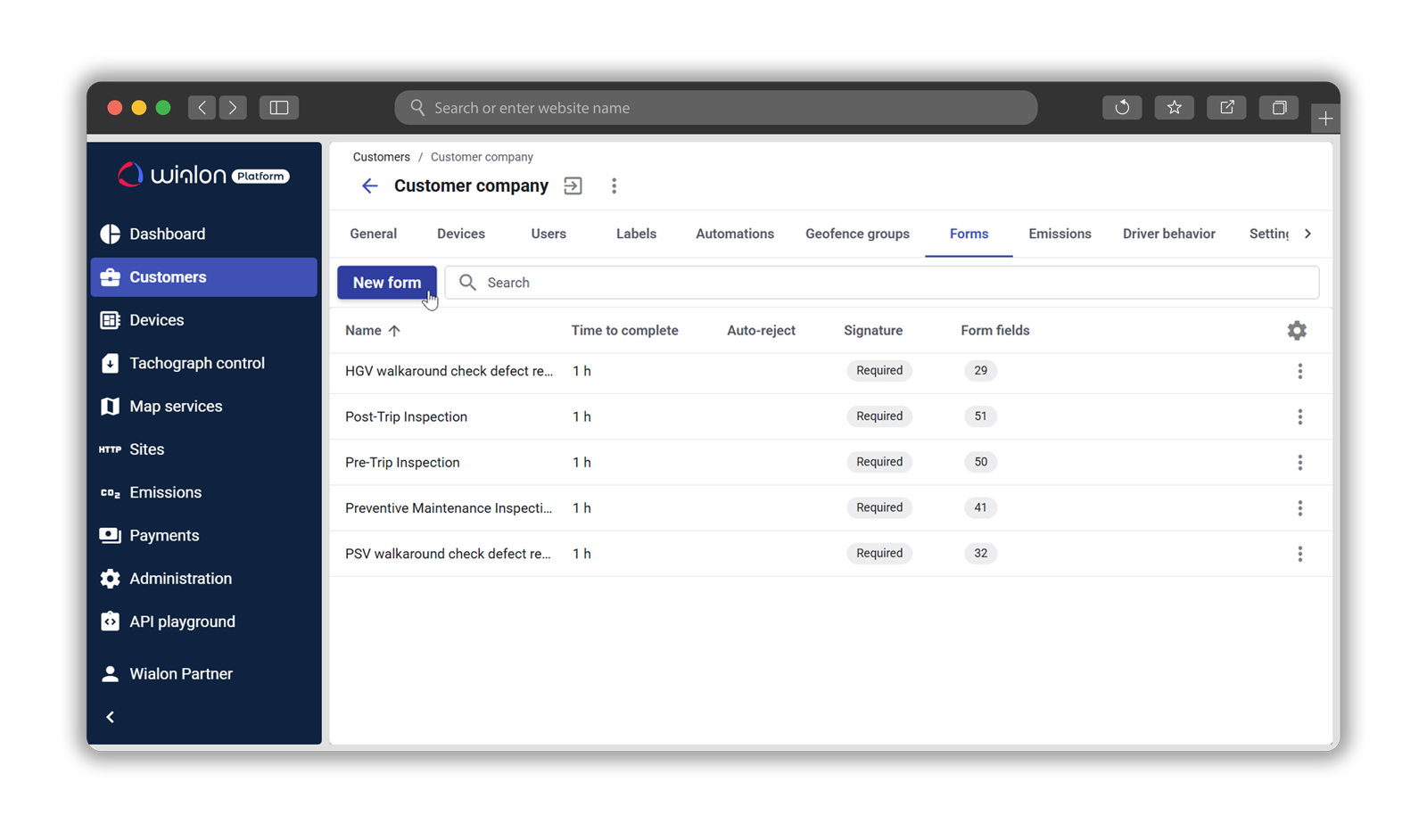
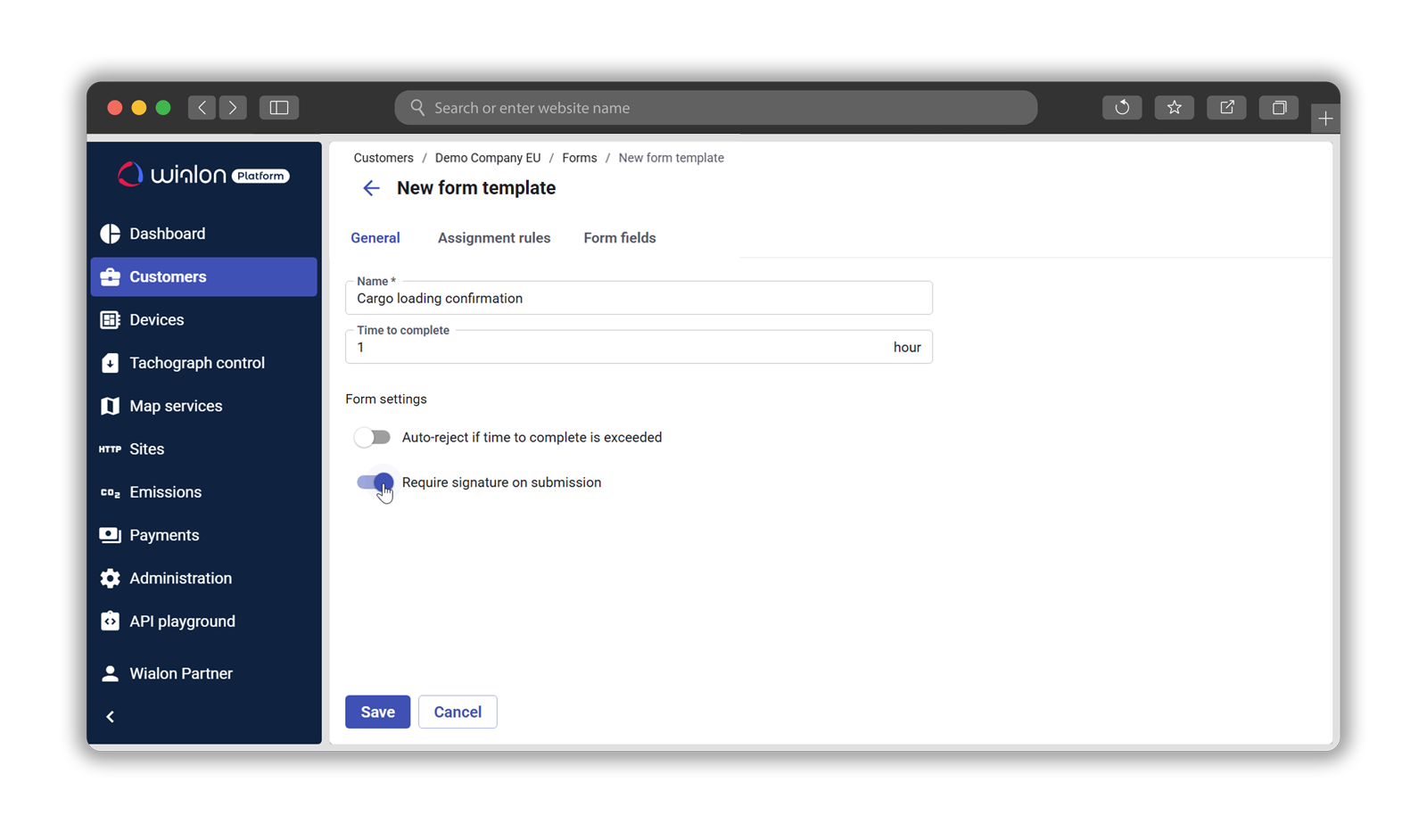
The Forms feature is enabled at the customer level through the Wialon Platform Studio. After activation, it is possible to create templates, configure automatic assignment, and set up automation logic based on the use case.
A practical way to start is with a single process — such as a daily vehicle inspection or cargo loading confirmation — and build from there. As needs grow, additional workflows can be added without disrupting what’s already in use.
You can find more detailed information, including step-by-step guides for service providers, fleet managers, and drivers in our Help center.
Ready to level up as a service provider with Wialon Platform? The software is currently free for all Wialon partners to use and test until September 2026.
Feel free to contact your Partner Success Manager to get started, or reach out to sales@wialon.com if you're not a partner yet.
__SOCIALS_EN__




.jpg)
.png)