Mar 27, 2026
 8 min read
.png)
In fleet management, notifications are where operational reality surfaces — a risk, an issue, or a moment that requires action. For service providers, they’re also a key part of the value delivered to clients: keeping fleets visible, controlled, and predictable.
As fleets become more data-driven and expectations for control grow, the way alerts are configured needs to evolve as well. It’s no longer enough to react to single events — what matters is how different signals come together, and how precisely notifications reflect what’s really happening in operations: a vehicle stays longer than expected at a location, fuel level drops while the ignition is off, or several factors point to a potential issue.
Setting up alerts for these use cases shouldn’t feel like a workaround. It should be straightforward, scalable across projects, and require less manual effort to maintain — helping reduce implementation time and overall setup costs.
That’s where the new notification builder in Wialon Hosting comes in.
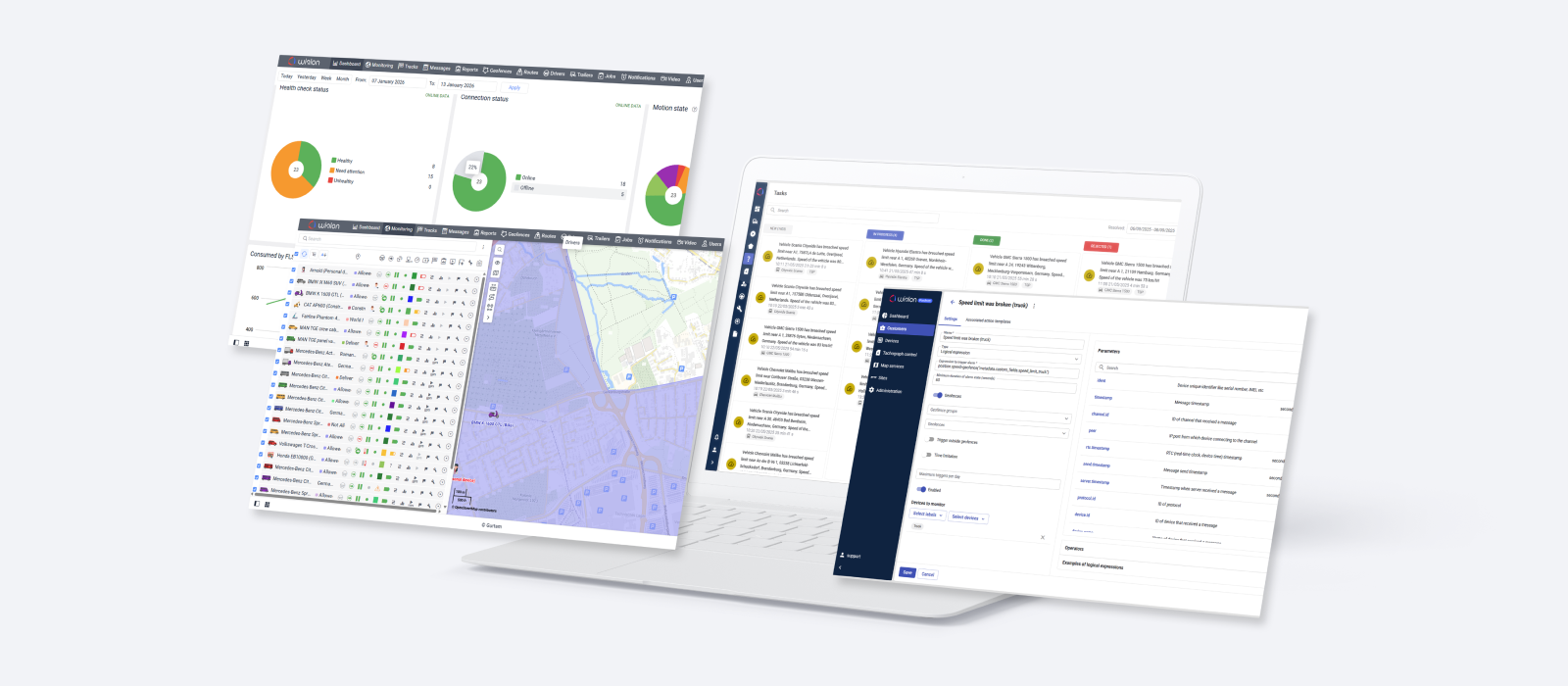
It’s designed to make notifications easier and quicker to configure, while giving you more control — so you can set up more advanced scenarios with less effort, and automate fleet operations.
Let’s take a closer look.
Prefer to watch?
Check out this short video where we walk through the new notification builder — from key concepts to real setup examples — and show how it works in practice.
What’s new
Until now, notification setup in Wialon followed a structured approach, with predefined combinations and a single ‘AND’ path — well-suited for standard notification use cases, but less flexible when working with more complex combinations of events.
This also opens up new possibilities for implementing more complex and specific client requirements, helping you cover a broader range of real-world needs and deliver more competitive, high-value services.
Here’s what makes that possible.
Flexible building blocks for notifications
To support this new level of control, conditions in the notification builder are now more granular and easier to combine.
Instead of relying on fixed notification types, you can now work directly with individual conditions and combine them like building blocks. In some cases, what used to be a single type has been split into separate conditions — for example, geofence entry and geofence exit instead of a single geofence type — giving you more control over how notifications are set up.
In total, Wialon now offers 26 different conditions, covering everything from fuel-related events and sensor data to unit location and connectivity. Of these, 17 can be combined to build notification scenarios for a wide range of operational needs.
To make this easier to navigate, conditions are shown in a single view, grouped clearly and marked by how they can be combined. As a result, building complex scenarios feels much more intuitive — you can move faster and stay in control of how notifications behave.
Sharper notification logic
You can now combine up to 3 conditions within a single notification, allowing alerts to reflect real operational situations — not just isolated signals.
With AND, notifications are triggered only when all selected conditions are met, helping filter out noise and focus on truly relevant cases. With OR, a notification is triggered when any of the conditions occurs, making it easier to capture a wider range of events and react earlier.
Conditions are evaluated step by step: the system first processes two conditions, then applies the result to the third. This keeps behavior consistent and predictable, even in more complex scenarios.
A fresh interface
Alongside the logic updates, the notification experience has been reworked to feel clearer and easier to use. Notifications are now configured in a clean, full-screen workspace, with improved structure and naming. Helpful validation messages make the process easier to follow — highlighting missing or incorrect inputs and simplifying troubleshooting along the way.
The Notifications tab has also been refreshed, making it easier to navigate and manage all notifications in one place. Search has been updated accordingly: it now supports finding notifications by one or multiple conditions, instead of the previous “by type” approach.
Practical example: How it works in real scenarios
Let’s look at how the new notification builder can be used in real-life fleet operations.
Detecting suspicious fuel activity
To identify suspicious activity and react early, it’s important to track combinations of events that together signal a potential problem.
For example, if the ignition is off, the vehicle is not in operation, so fuel loss is unexpected. This can be further verified by location: if fuel loss occurs outside a designated zone such as a depot or a fueling area it is less likely to be part of regular operations and may indicate unauthorized activity.
Taken together, these signals form a pattern worth investigating. To detect such cases, the following conditions in Wialon Hosting can be used:
- Fuel drain
- Ignition off (engine ignition sensor)
- Geofence exit (outside a designated zone)
If the goal is to capture only clearly suspicious cases and avoid false alerts, all conditions can be combined: Fuel drain AND Ignition off AND Geofence exit.
This setup triggers a notification only when all 3 conditions occur together, helping focus on truly critical situations and reduce unnecessary alerts.
Monitoring cold chain conditions
Now let’s look at a scenario where it’s important not to miss potential issues — for example, when working with temperature-sensitive goods.
To detect such situations early, it’s important to monitor a combination of signals rather than a single parameter. For example, the following conditions may be used:
- Ignition on
- Temperature above 5°C
- Outside a designated zone (e.g. warehouse)
For broader coverage, these conditions can be combined using OR logic: (Ignition on OR Geofence exit) AND Temperature > 5°C.
In this setup, temperature acts as the key trigger, while vehicle status and location provide context. A notification is triggered if the temperature rises while the vehicle is moving or outside a controlled environment, helping identify the issue early and react before it turns into real losses.
With the new notification builder, notifications become a flexible tool you can adapt to almost any operational scenario — from highly targeted alerts to broader monitoring setups. As a service provider, you’re not just setting them up, but shaping how your clients see and respond to what’s happening in their fleets.
How to start using it
With Wialon, you have a solution that evolves alongside your needs — helping you build smarter solutions and deliver more value to fleets.
We’re gradually rolling out the new notification builder across Wialon Hosting. You may already see it in your environment — if not, it will appear soon. Once it does, you’ll find the updated interface when creating or editing a notification.
For more details about setup options and available combinations, visit the Wialon help center.
Current requests and notification trigger types remain fully supported, so existing integrations will continue to operate as usual.
At the same time, the new notification builder introduces a more flexible data format designed to support extended condition logic. Notifications created with these advanced combinations will appear in the get_notification_data response with a new trigger type — expression.
There’s no need for immediate changes: your current integrations will keep working as they do today. However, we recommend exploring the new format, as it will become the primary approach for advanced notification logic going forward.
We’ve recently launched a LinkedIn newsletter, Signal Incoming, featuring product updates, practical insights, and market use cases. Subscribe to stay informed.


.jpg)
.png)

.png)
.png)